Tower Realm Guides Hub
How to play, how to calculate fights, and how to stop wasting keys.
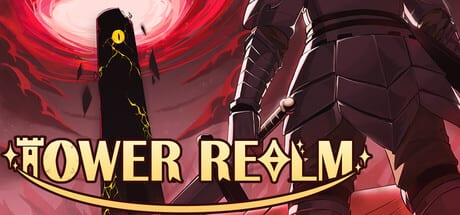
Tower Realm is a Steam launcher for several Magic Tower games, not a live-service gacha and not a Roblox experience. Charge Piggy Studio and Kitchen Group shipped the collection on 11 August 2026 as a Windows single-player product with Steam Cloud. Every tower uses fixed maps, fixed stats, and auto turn-based combat. That design is the whole point: you can infer a fight before you step on a monster.
This hub is the index for play questions. If you just installed the game, start with Getting started with Tower Realm. If the genre itself is new, read How to play Magic Tower before you open a sixty-floor map. When a monster looks cheap until it is not, use Combat and route planning and the combat calculator.
What these guides are for
Magic Tower players get stuck in a small set of ways. They spend a yellow key on a door that leads to a fight they cannot finish. They pick a red gem when a potion would have saved a later shop. They treat the Green Key as a default instead of a deliberate difficulty drop. They bounce between towers without learning the handbook. The pages under this hub exist to slow those mistakes down.
The collection currently launches three base towers and two paid chapters. Destined Melody is the sixty-floor classic homage. The Saga of Tower is a sixty-five-floor story chapter. System Cultivating is an eighty-floor cultivation chapter. Launch DLC adds Rhythm Cultivation and the second Saga chapter, also listed as A Thousand Towers Journey. Tower overviews live in the Towers Hub, not here. Come back to Guides when you need a method, not a roster.
How to use the hub
Read in this order if you are new:
- Getting started — install, language, first tower, Cloud saves.
- How to play — tiles, handbooks, shops, and why grinding does not exist.
- Items, keys, and resources — yellow, blue, and red keys as the real currency.
- Combat and routing — when to fight, when to walk past, when to shop.
- Green Key explained — optional supplies versus a hardcore clear.
- Custom Mode — after a standard finish, not instead of one.
- Hardcore clears — how to finish without extra supplies.
The Guides dropdown on desktop shows the first seven pages, then a link back to this hub. Handbook and Controls live further down the same list — open them from here when you need bestiary habits or a cleaner keyboard.
If you already know the genre, skip to combat math and the calculator, then jump to a specific tower page. Destined Melody is still the best first map even for veterans, because the Steam copy calls out the Floor 3 sword, Floor 6 shield, and the infamous red bat on purpose. Those beats teach the handbook faster than a cultivation story will.
What we will not invent
This wiki does not publish unverified floor-by-floor spoilers. Official store text gives floor counts, chapter labels, and tone. It does not publish a public monster table for every room. When a page talks about keys, gems, or shops, it describes the Magic Tower rules the collection is built on, plus what Charge Piggy Studio has stated about Green Key and Custom Mode. If a later patch changes a tower, check the Updates Hub and the DLC page.
Custom Mode is the post-clear toy. Points from a finish let you change enemy stats and challenge conditions. It is not a substitute for learning the standard route. Clear first, then break the numbers. The dedicated Custom Mode page covers the 1.0.6 save-folder fix. Read the handbook even when you set the sliders yourself.
Related reading
Pair this hub with the review if you are still deciding whether the $3.99 launcher is for you, and with system requirements if you are on a low-end Windows box. Official store and community links sit on the links page.
Frequently Asked Questions
Quick answers to the most common Tower Realm questions.
Where should a new player start?
Open Getting started, then How to play, then Destined Melody on the Towers Hub. Use the combat calculator before you spend keys on a fight you cannot read.
Do these guides replace a full walkthrough?
No. They teach the method: combat math, key order, Green Key, and which tower to open. Individual tower pages cover official floor counts and tone without inventing unverified maps.
Is Tower Realm still getting new towers?
Yes. The store describes the product as a launcher with future towers as DLC. Launch already includes two paid chapters. Follow the DLC page when new floors appear.