Tower Realm Controls and Interface
A thinking game that still punishes sloppy movement.
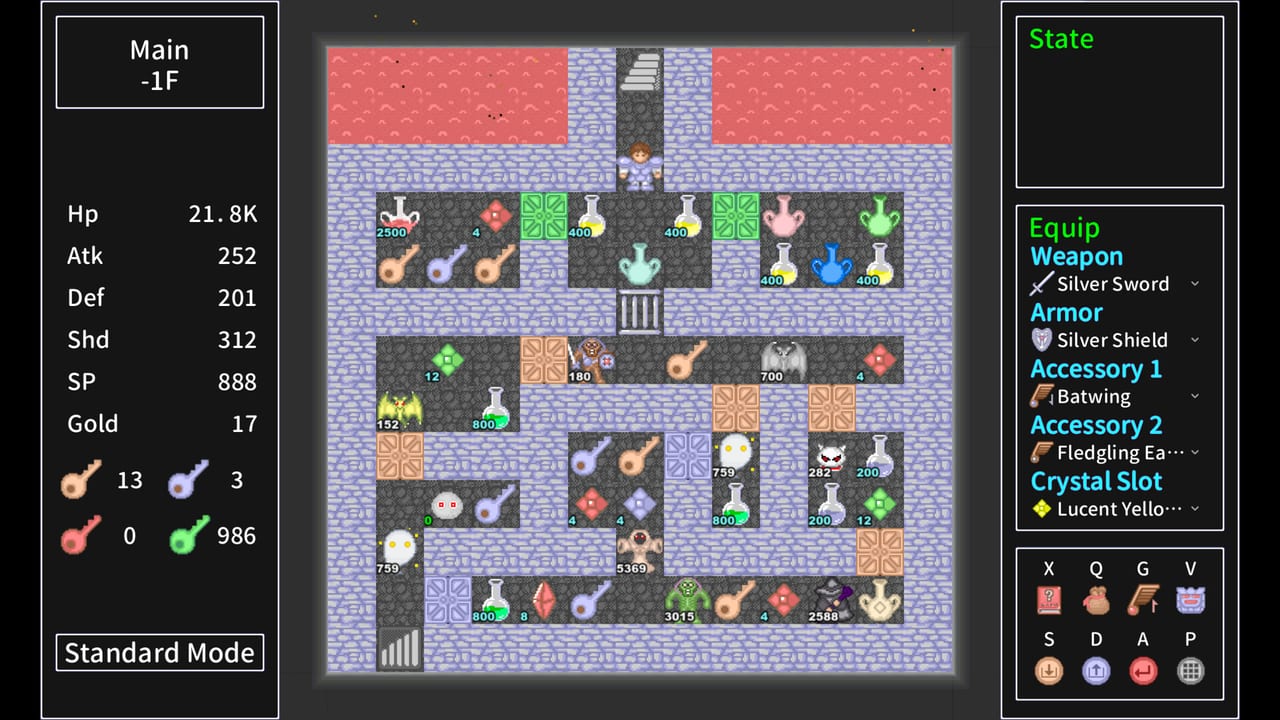
Tower Realm is not an action game, but it will still punish a held movement key. One extra step onto a monster is a fight you did not calculate. One extra step onto a door is a key you did not budget. This page is about keeping the interface honest so the combat math can do its job.
Movement
You occupy one tile at a time. Arrow keys or WASD (depending on the tower’s engine) move you to an adjacent floor tile. Walls block. Water and lava usually block unless a special item says otherwise. Stairs, NPCs, items, doors, and monsters are all tiles with consequences.
Tap, do not hold, when you are near anything that can start a fight or spend a key. Holding is fine in empty corridors you have already cleared. The moment a new monster enters the screen, stop and open the handbook. How to play explains why that pause is the real skill. Patch 1.0.6 also optimized scroll-wheel use on the floor teleporter — update before you invent a new bind if the wheel jumps two floors.
Handbook and status
Find the monster handbook in the UI before you need it in a panic. Classic Magic Tower layouts put HP, ATK, DEF, gold, and key counts on a side panel. If a tower hides those numbers, look in the menu. You cannot route what you cannot see.
When you inspect a monster, read extra lines, not just the three stats. First-strike, magic damage, and regeneration all change the calculator result. If the handbook is blank for a new enemy type, do not experiment with your last potion. Save, then test, or skip the tile.
Doors, shops, and confirmations
Some engines spend a key as soon as you walk into a door. Others ask for confirmation. Learn which behavior the current tower uses on a cheap yellow door, not on the last red door in the chapter. Shops should always be a conversation: you choose the stat. If a shop feels like it charged you on bump, reload and approach more slowly.
The Green Key is a menu or item decision, not a floor tile in the classic three-color sense. Do not bind it next to your movement keys. Treat it like a difficulty setting you open on purpose.
Saves and Cloud
Use the in-tower save if the engine offers one, plus Steam Cloud. A community thread already asked whether demo Cloud worked across machines. After a long routing session, quit to the launcher once and confirm the save timestamp. The getting started checklist includes that habit for a reason.
Do not rely on a single slot if the tower allows multiples. Keep a slot before a boss floor and a slot before a shop you might regret. Fixed maps make old saves valuable. You are not cheating the random number generator. There isn’t one.
Display and comfort
Integer scaling, if offered, beats blurry stretch on a 1080p or 1440p monitor. Audio can be lowered; nothing in the combat formula cares. Fullscreen versus windowed is a focus choice. If you are using the calculator in a second window, windowed mode is less likely to eat a keystroke.
Rhythm Cultivation is the exception that may care about audio timing. Read that tower page before you mute the game for a podcast. Other chapters in the Towers Hub are still thinking puzzles.
A clean control loop
- Enter a floor and stop.
- Count keys on the panel. Compare to doors. That is items work.
- Handbook every new monster.
- Calculator any fight that is not obviously free.
- Tap toward the next planned tile only.
If you die to movement, it was not a strategy problem. Slow down, then go back to hardcore or Green Key planning with a live hero. Official store screenshots of the launcher and HUD are local on this site; use them to recognize panels, not as a substitute for the in-game handbook.
Frequently Asked Questions
Quick answers to the most common Tower Realm questions.
What keys does Tower Realm use?
Expect grid movement with arrows or WASD plus a menu for the handbook. Exact binds can differ per tower engine. Learn them in an empty corridor before a door.
Why did I lose a key by accident?
Some towers spend a key when you walk into the door. Tap movement near locks, and test the behavior on a cheap yellow door first.
Should I play fullscreen?
Windowed is safer if you keep the combat calculator in another window so a stray keystroke does not walk you into a monster.